
At Central Film School, we use the Siso platform to manage all student and staff equipment bookings. Whether you are prepping for a class exercise or getting ready for your next big shoot, here is everything you need to know to get your gear sorted.
(Please note: If you are an alumnus without Siso access, you can book gear directly by emailing the resources team at booking@centralfilmschool.com with your equipment list and shoot dates).
Accessing Siso
Getting onto the platform is quick and simple:
-
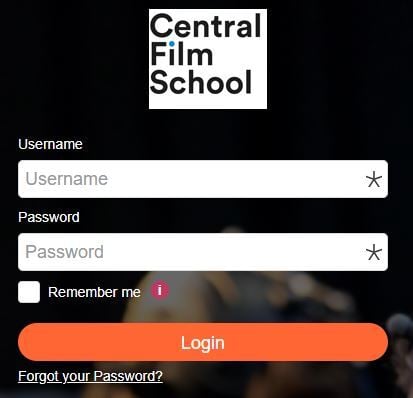
Head over to cfs.siso.co
-
Log in using your school email address (@centralfilmschool.com) and your Siso password.
-
First time logging in? No problem. Just click Forgot password and follow the on-screen prompts to set up your account.
Making a Booking
Once you are logged into your dashboard, follow these steps to build your kit list:
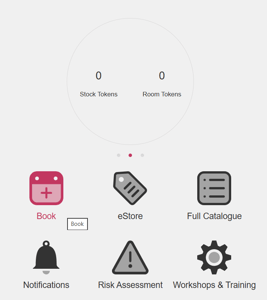
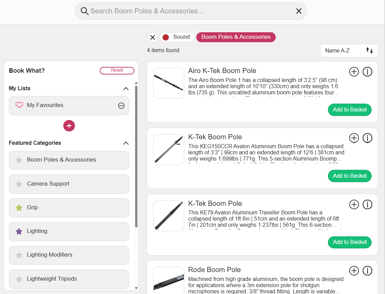
- Find your gear: Navigate to the Book section. On the left, you will see categories neatly broken down by department, such as Camera, Sound, Grip, and Lighting.
- Add to basket: When you find an item you need, adjust the quantity and click the green Add to Basket button.
- Set your dates: Click on the basket icon in the left-hand taskbar. Enter your preferred collection date, time, and the duration you will need the equipment for.
- Check availability: Click Check Availability, review the collection and drop-off slots Siso suggests, select the best option for you, and click Book.
- Fill in the final details: On the next screen, use the Associate Project to this Booking drop-down menu to select the project this gear is for.
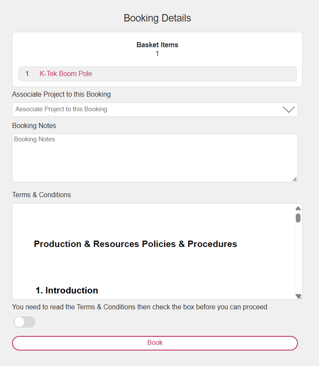
- Designate a collector: If a teammate is picking up the gear instead of you, type their name into the Picked Up By section.
- Confirm: Tick the box to agree to the terms and conditions, click Book, and you are all set!
What Happens Next?
After submitting, you will receive an email from SmartHub Notify titled Booking requests. This simply lets you know the resources team has received your request and is reviewing it.
Once approved, you will get a final confirmation email letting you know your booking is locked in. Remember to check your spam folder if it does not appear in your inbox, or get in touch at booking@centralfilmschool.com if you have any questions.
Frequently Asked Questions
-
Why can't I see all of the equipment on Siso? To ensure everyone's safety and the proper care of our kit, the resources team opens up permissions as you progress through your course. If you cannot see a specific item, it is usually because it has not been covered in your modules yet. If you have already learned how to use a piece of kit in class but cannot see it online, let the team know. You can also contact the resources team to request a 1:1 induction on any equipment you are curious about!
-
What do I do if I cannot make it in time for my booking? We know plans change. If your shoot is postponed, cancelled, or you are running late for your pickup slot, please drop an email to resourcesteam@centralfilmschool.com as soon as possible so they can update your booking.
-
The equipment I need for a personal project isn't available. What should I do? All of our equipment is subject to availability, and peak times like graduation film periods can get very busy. If the kit you want is fully booked, reach out to the resources team. They will happily help you find alternative dates or suggest suitable alternative gear for your project.